 Asking AI Clearly
Context, roles and examples
Last reviewed
The short version
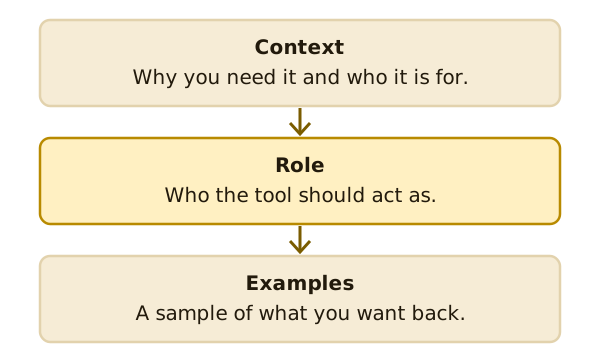
- Context tells the tool why you need something and who it's for.
- A role tells the tool who to act as.
- Examples show the tool the kind of answer you want.
Context
Context is the background. Microsoft describes it as why you need something, and who is involved.[1]
Anthropic says that giving context or motivation behind your instructions can help the tool give more targeted answers.[2]
Here's a made-up case. You write: "Explain our returns rule." The tool has to guess. Now add: "A customer is upset because their order arrived late. They want to send it back." The answer can now fit the situation.
A role
A role is a part you ask the tool to play. "Act as a friendly shop assistant." Role assignment is one of the techniques that Wikipedia lists for writing prompts.[3]
You can also name who will read the answer. "Explain this to a new customer who has never shopped here."
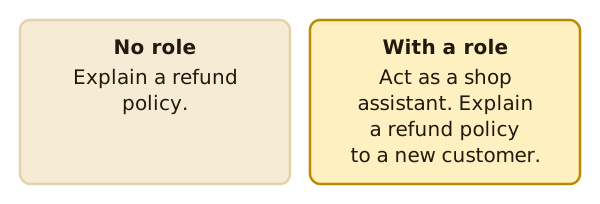
Treat a role as something to try. Read the answer. If the tone isn't right, change the role and ask again.
Examples
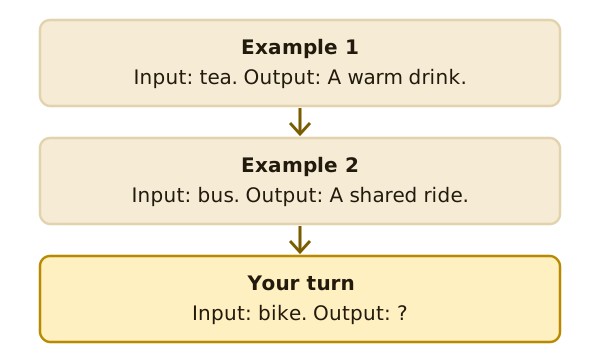
An example is a sample of what you want back. A prompt can include a few examples for the tool to learn from.[3] This is sometimes called few-shot prompting.
Anthropic says examples are one of the most reliable ways to steer the format, tone and structure of an answer.[2] A few well-made ones improve accuracy and consistency.[2]
Making examples work
Anthropic's advice for examples is to make them relevant. They should mirror what you actually want.[2] It also suggests including 3–5 examples for best results.[2]
It also asks for variety. Examples should differ enough that the tool doesn't pick up a pattern you didn't mean.[2] So don't make them all alike.
Add one at a time
You don't have to use all three on every prompt. A quick question may need none.
Try this order. Send the goal first. If the answer is too general, add context. If the tone is wrong, try a role. If the layout is wrong, show an example.
Each fix is small, and you can see what each one changed.
What's next
Now look at how to ask for a layout and a length. Read asking for a format and a length.
Sources
- Get started writing prompts in Microsoft Copilot, Microsoft Support (accessed 2026-11-16)
- Prompting best practices, Anthropic (Claude Platform Docs) (accessed 2026-11-16)
- Prompt engineering, Wikipedia (accessed 2026-11-16)