 Asking AI Clearly
Asking for a format and a length
Last reviewed
The short version
- Name the shape you want: a list, a table, steps or paragraphs.
- Put a number on the length, such as "under 80 words".
- Say what you want, not only what you don't want.
Say what shape you want
The format is how the answer is laid out. Anthropic advises being specific about the output format and the limits you want.[1]
Microsoft calls this part of a prompt the expectations: how should the tool respond?[2]
Here are some plain ways to ask:
- "Give me a list."
- "Put it in a table."
- "Use two short paragraphs."
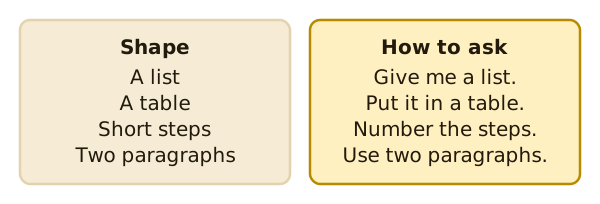
Microsoft's own example asks for a day-by-day plan in a table.[2] That's a clear request for a shape.
Use steps when order matters
Say you want to write down how to do a job, such as opening the shop. The order matters. Ask for numbered steps.
Anthropic suggests numbered lists or bullet points when the order or completeness of steps matters.[1]
Set a length
"Short" means different things to different people. A number is clearer. Microsoft's example for a thank-you note ends with a limit: keep it under 80 words.[2]
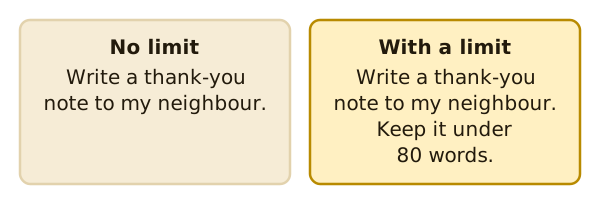
You can set a limit in other ways too. Ask for "three bullet points" or "one paragraph". Count what you get. If it's too long, say so in your next message.
Say what you want
Sometimes it's tempting to write what to avoid. "Don't use bullet points." Anthropic's advice is to tell the tool what to do instead of what not to do.[1]
Its example swaps a ban on markdown for this: the response should be composed of smoothly flowing prose paragraphs.[1]
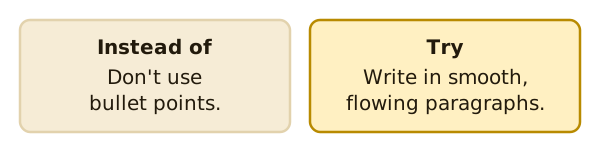
Prose just means ordinary sentences in paragraphs.
Match the shape to the job
Think about what you'll do with the answer.
- A notice for a door reads best as a short paragraph.
- A to-do list works as bullet points.
- A set of dates and times fits a table.
- A job with an order needs numbered steps.
If you already have an answer in the wrong shape, you don't need to start again. Reply with "Put that in a table" and the tool can lay the same material out another way.
A small test
Try the same request twice. First with no format. Then with "a table with two columns". Compare. You'll see what a format request changes.
What's next
Even with a perfect format, the same prompt can give different words each time. Read why the same prompt gives different answers.
Sources
- Prompting best practices, Anthropic (Claude Platform Docs) (accessed 2026-11-16)
- Get started writing prompts in Microsoft Copilot, Microsoft Support (accessed 2026-11-16)