 Asking AI Clearly
The four parts of a prompt
Last reviewed
The short version
- Start with a clear goal: what you want the tool to do.
- Add context, a source and expectations when the goal alone isn't enough.
- Before you send, ask whether a stranger would understand your prompt.
Four parts
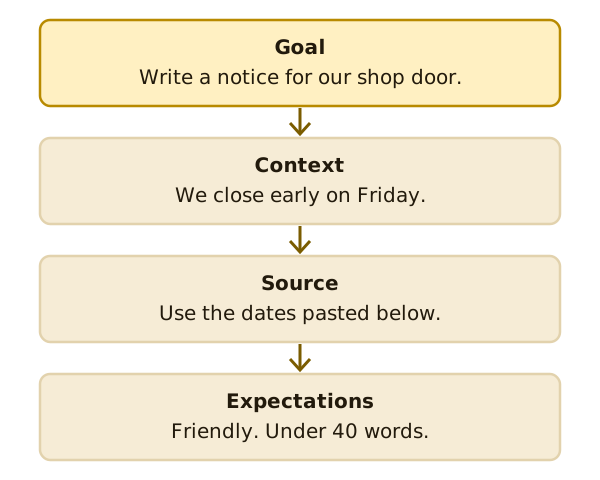
Microsoft describes four parts a prompt can include.[1] Other chat tools work much the same way. Here they are, with a made-up example for each.
Goal. What do you want the tool to do?[1] Example: "Write a notice for our shop door."
Context. Why do you need it, and who is involved?[1] Example: "We close early on Friday, and most of our customers are regulars."
Source. What information or samples should the tool use?[1] Example: "Use the opening times I've pasted below."
Expectations. How should the tool respond?[1] Example: "Keep it friendly and under 40 words."
You don't need all four
Microsoft says you can put a little or a lot into a prompt. All that's required is a clear goal.[1] Start there. Add the other parts when the answer comes back too general.
Why more detail helps
Anthropic, which makes the Claude chat tool, says the more precisely you explain what you want, the better the result.[2]
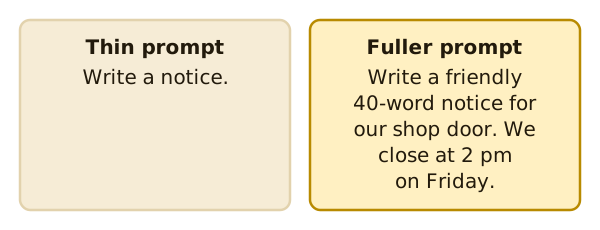
Think about asking a person. "Write a notice" leaves them guessing. Which shop? What day? How long? A tool has the same problem.
The colleague test
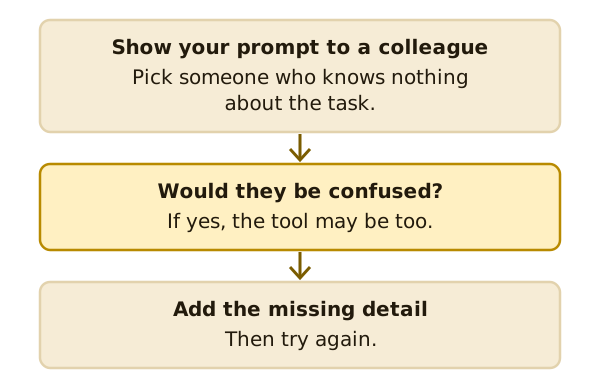
Anthropic suggests a quick check. Show your prompt to a colleague with minimal context on the task and ask them to follow it.[2]
If they'd be confused, add what's missing. You don't need a real colleague. Imagine one reading over your shoulder.
All four together
Here's a made-up prompt that uses every part:
Write a notice for our shop door. We close at 2 pm this Friday for a staff event. Most customers are regulars. Use the dates in the list below. Keep it friendly and under 40 words.
The goal is the first sentence. The context is the second and third. The source is the list you'd paste under it. The expectations come last.
The order isn't fixed. Put the parts in whatever order reads naturally to you.
Keep it to one job
A prompt with five jobs is hard to follow. Split it up. Ask for the notice first. Then ask for a shorter version.
What's next
The next page looks closer at context, roles and examples. Read context, roles and examples.
Sources
- Get started writing prompts in Microsoft Copilot, Microsoft Support (accessed 2026-11-16)
- Prompting best practices, Anthropic (Claude Platform Docs) (accessed 2026-11-16)